Microsoft
One of the world's largest technology companies, building the productivity tools and AI assistants millions rely on daily.
Designing AI-powered experiences across Microsoft 365, from the Companion apps and Copilot's plugin extensibility to Calendar Inbox and Cortana. I take ideas from early incubation to flagship apps and design at the system level, keeping the work coherent and accessible so AI feels clear, purposeful, and human.
- 01 Roles
- Design Direction, Incubation, Product Design
- 02 Domains
- Accessibility, AI, Calendar, Conversational Design, Cross-Platform Integration, Design System, People Graph, Productivity
- 03 Collaborators
Company-wide Copilot, FluentM365 Companion, Cortana, Excel, Feed, Outlook, PowerPoint, Substrate, Teams, Viva, WordWindows + Devices WindowsBusiness Apps Dynamics 365, Power PlatformWeb Experiences Bing, Edge
- 04 Rights
- Copyright © 2026 Microsoft. All rights reserved.
- 05 Website
- microsoft.com
Note: Per the confidentiality protocols around incubation projects, the details in this project are limited to publicly released information.
People Companion
From the Microsoft 365 Companion apps
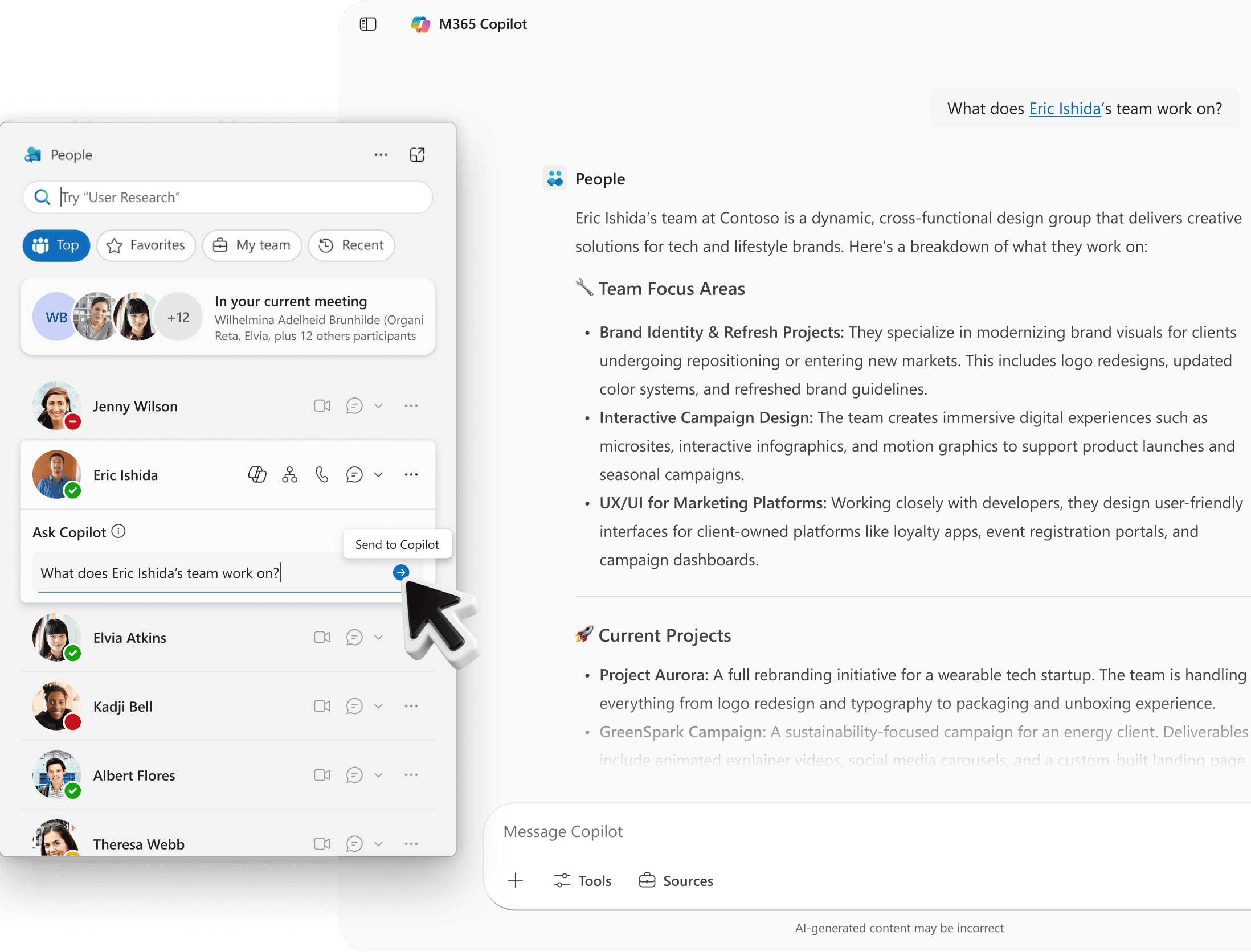
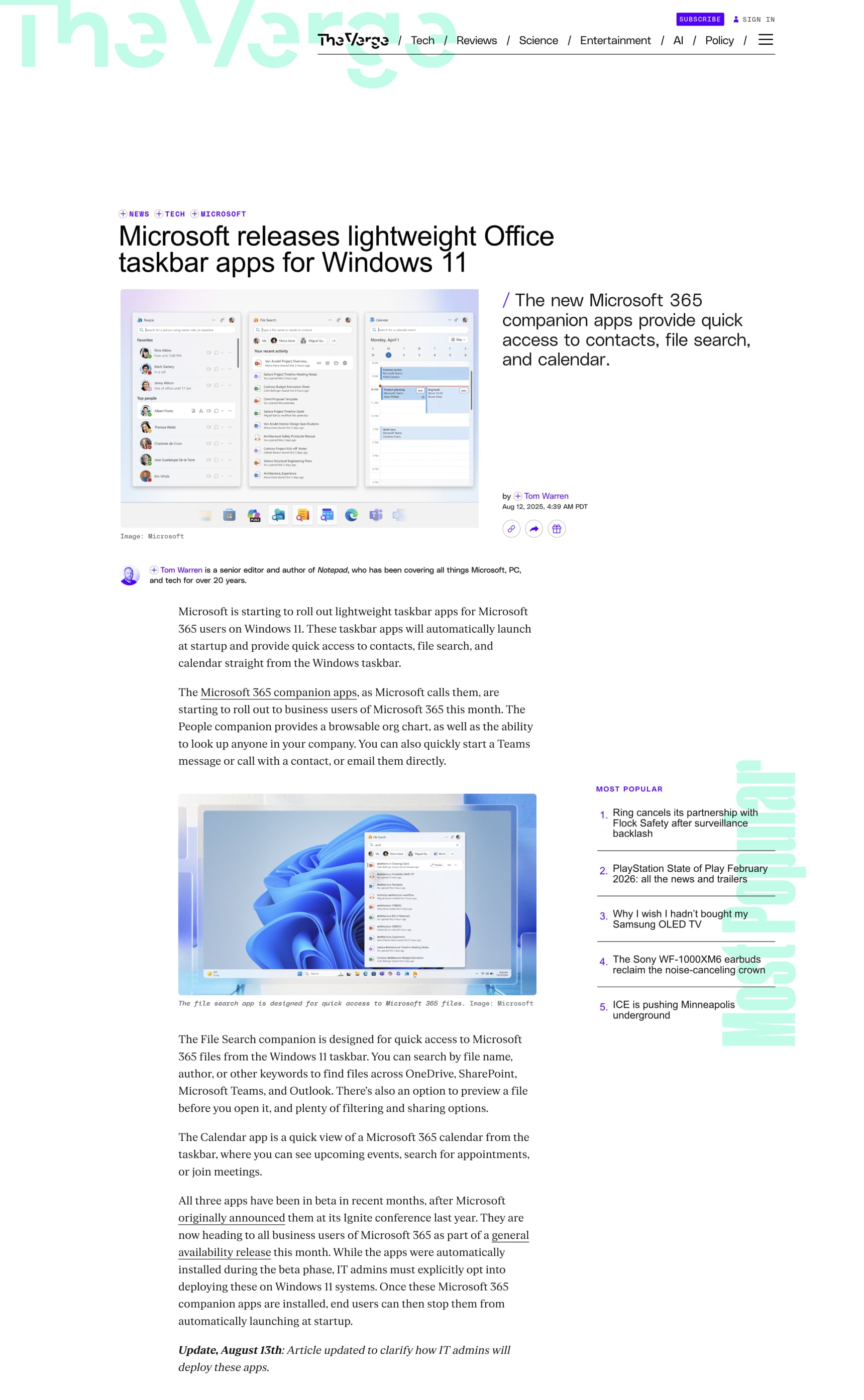
The Microsoft 365 Companion apps for Windows (People, Files, and Calendar) are lightweight experiences pinned to the taskbar, right where work begins. Each one pulls a single Microsoft Graph entity (people, files, or events) straight onto the desktop, so what you need is a glance away instead of buried behind an app switch. They follow Fluent principles and favor clarity over complexity.
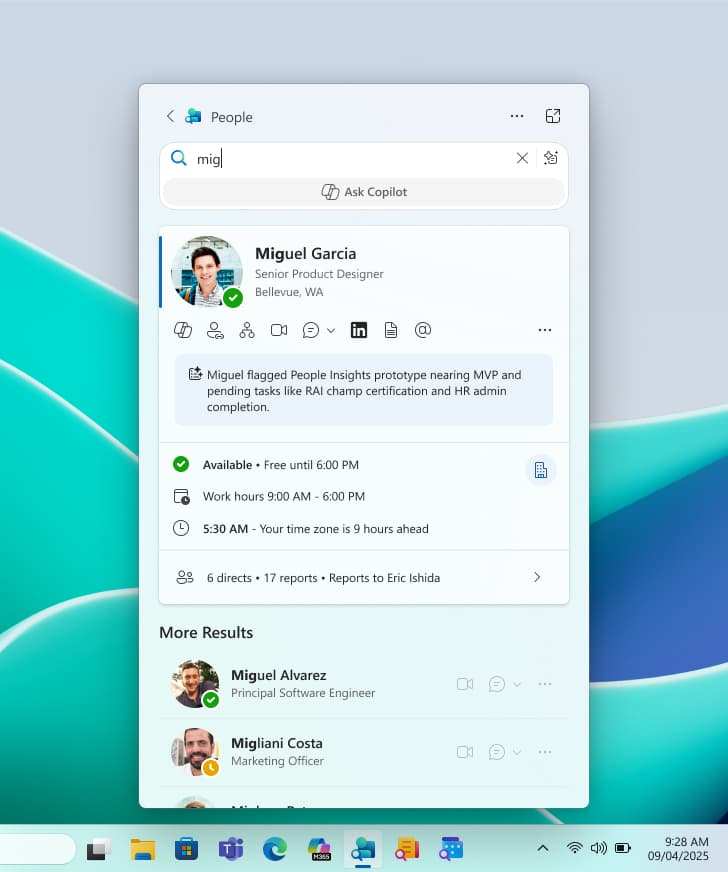
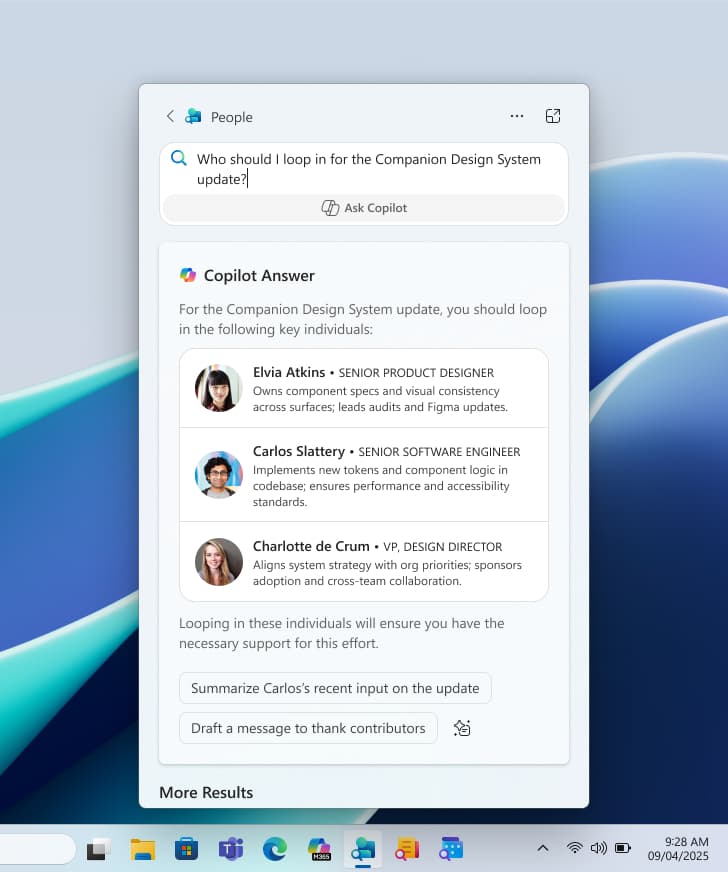
I led the design of People Companion, the gateway to colleagues across an organization. It brings discovery, profiles, and communication into one focused space: search by name, role, skill, or plain natural language, check availability, time zones, and reporting lines across the org chart at a glance, and pin the people you work with most.
On top of that sits an intelligent layer. Inline insights surface what you need about someone in the moment, so you stay in the flow instead of switching tools to find it, and when a glance isn't enough, People Companion hands off to the fuller Copilot experience for a richer conversation about a colleague and their work.
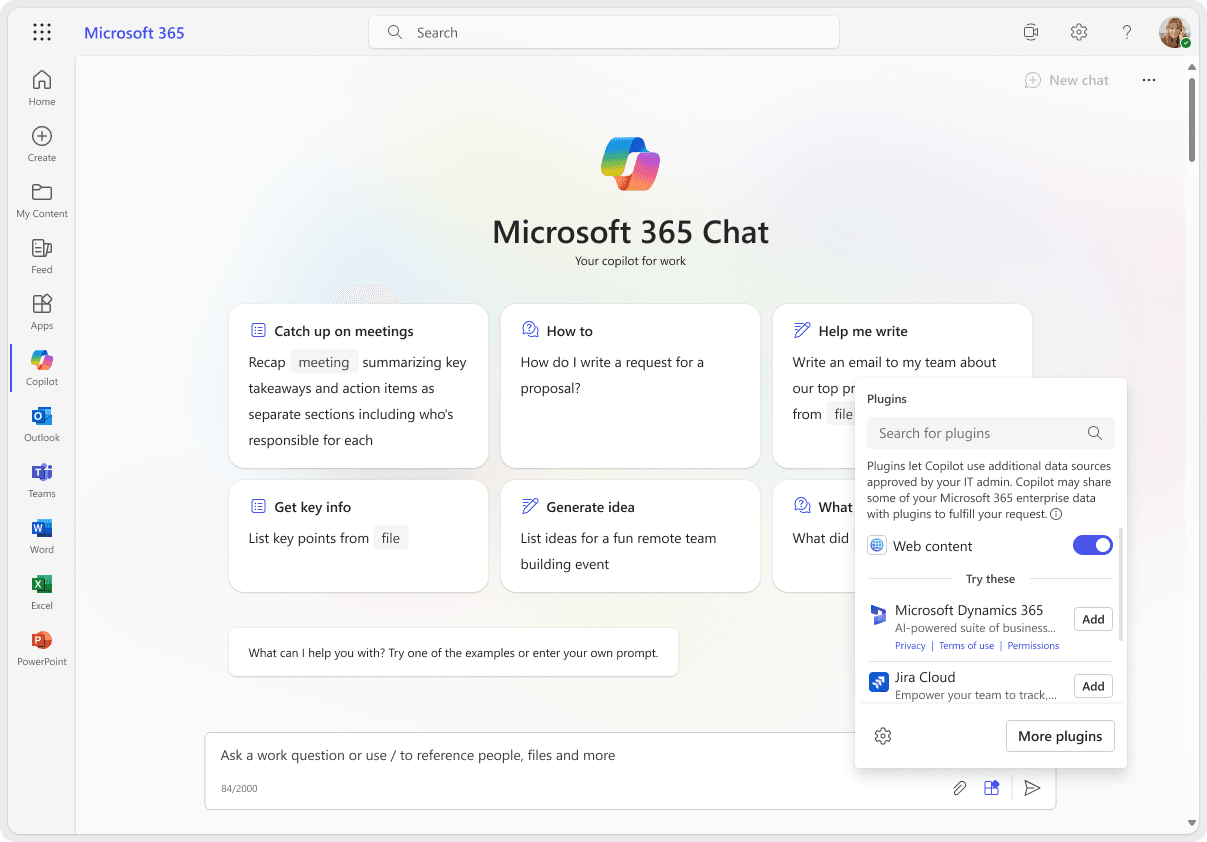
Plugin management for Copilot
Connecting internal and external data sources
Microsoft 365 Copilot is an AI assistant woven through the apps people already work in, from Word, Excel, and PowerPoint to Outlook and Teams, along with a chat experience that spans those apps and the web. It pairs large language models with each person's work context, drawing on the Microsoft Graph and a semantic index to ground answers in real organizational data like emails, chats, meetings, and documents, so responses are specific to the person and the company rather than generic. An orchestration layer routes every prompt between the model and that data, and results are permission-trimmed at query time, honoring existing identity, access controls, and sensitivity labels.
I helped define the user experience for Copilot's extensibility by shaping the Plugin Management Framework, which lets people reach both internal and external data sources. Whether retrieving business data from Microsoft Graph, pulling records from first-party apps like Dynamics 365, or connecting to third-party services like Jira or Salesforce, people can complete complex tasks without leaving the Microsoft 365 environment. My work included designing intuitive plugin workflows, handling latency messaging, authentication, and management flows, collaborating with legal to define privacy and security copy, and building the enablement framework. The result was a clear, trustworthy experience for end users, and the control and compliance admins need to manage and deploy plugins across their organizations.
Calendar Inbox
Triage and AI-powered insights, in one place
Hybrid work and the rise of AI have reshaped how people collaborate, bringing new possibilities but also new complexity, as people juggle more tools, information, and responsibilities than ever. Across the enterprise, only about 65% of meetings ever receive an RSVP. The gap isn't that responding feels hard. For most information workers an RSVP is trivial next to the real pain of managing meetings and scheduling, so the deeper problem is cognitive load: people who live in Outlook need faster, easier ways to stay on top of a crowded calendar, all in one place.
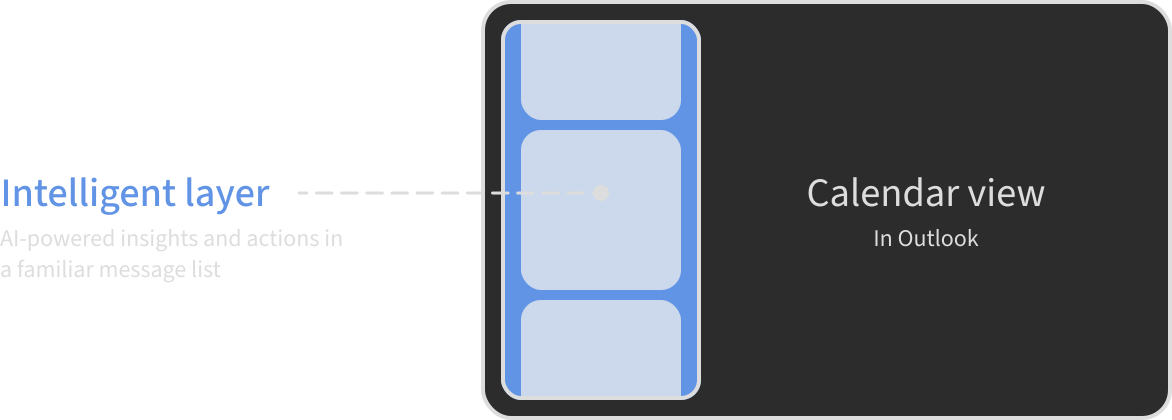
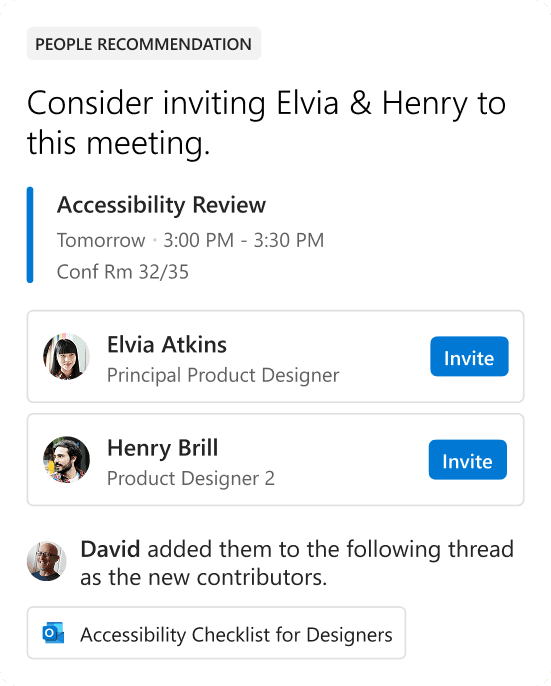
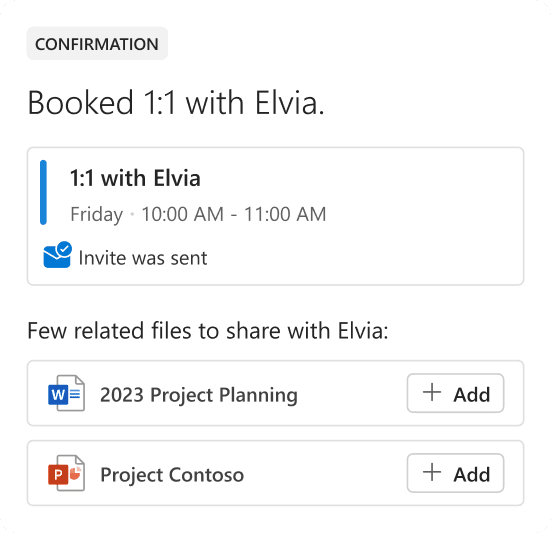
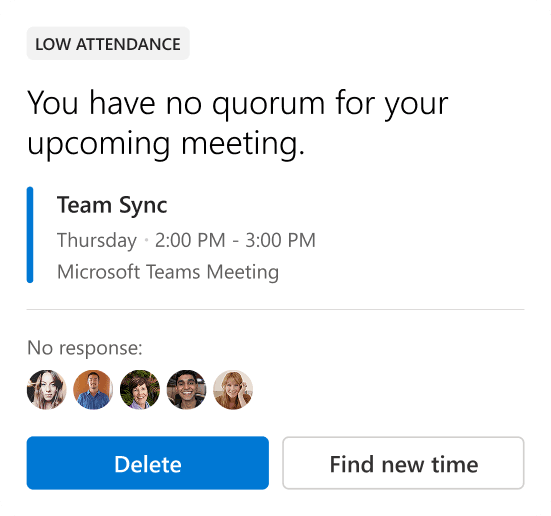
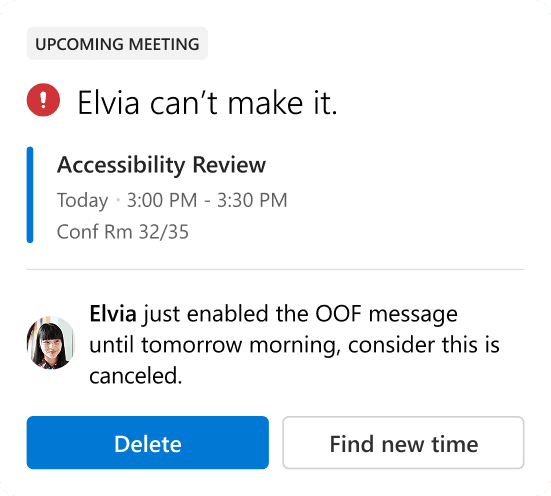
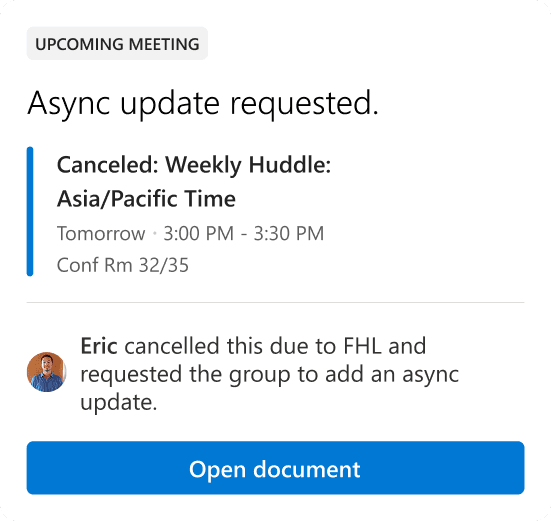
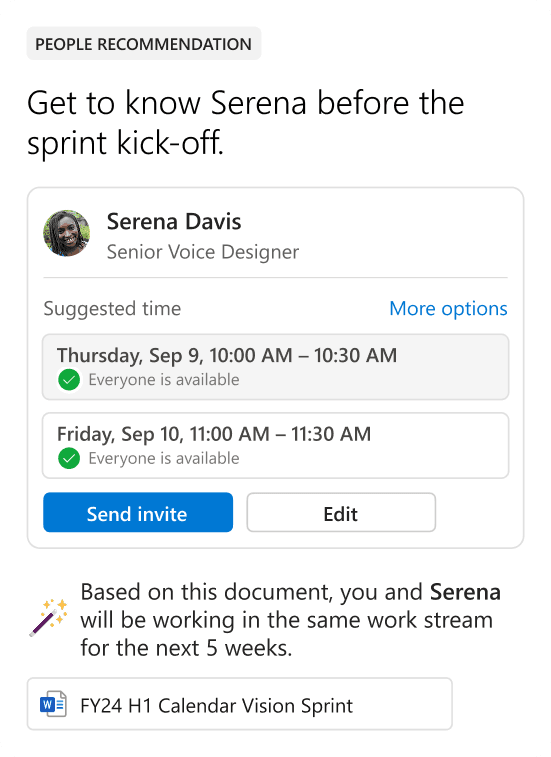
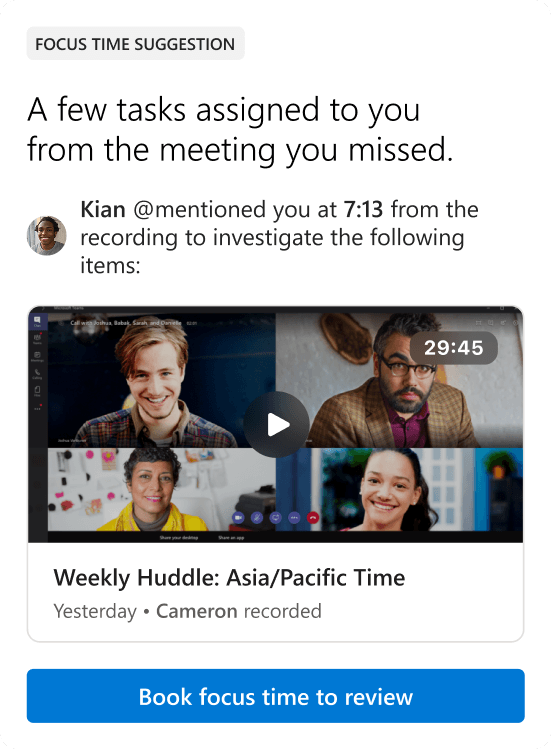
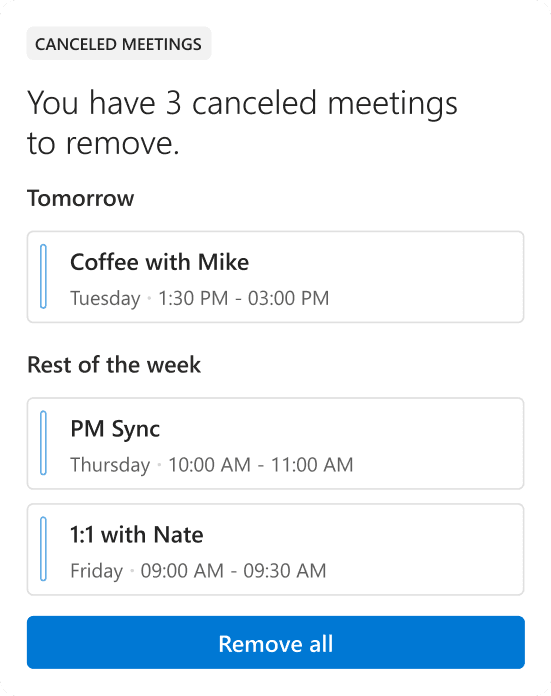
Calendar Inbox is that place. It brings every meeting and event invitation together for triage right inside the calendar, with an intelligent layer on top that acts as a time-management hub. Inline suggestions, summaries, insights, and bulk actions all surface in a familiar message-list pattern, so staying organized takes a glance rather than a project. I designed the experience end to end, from the triage flow to the card system that carries those insights.
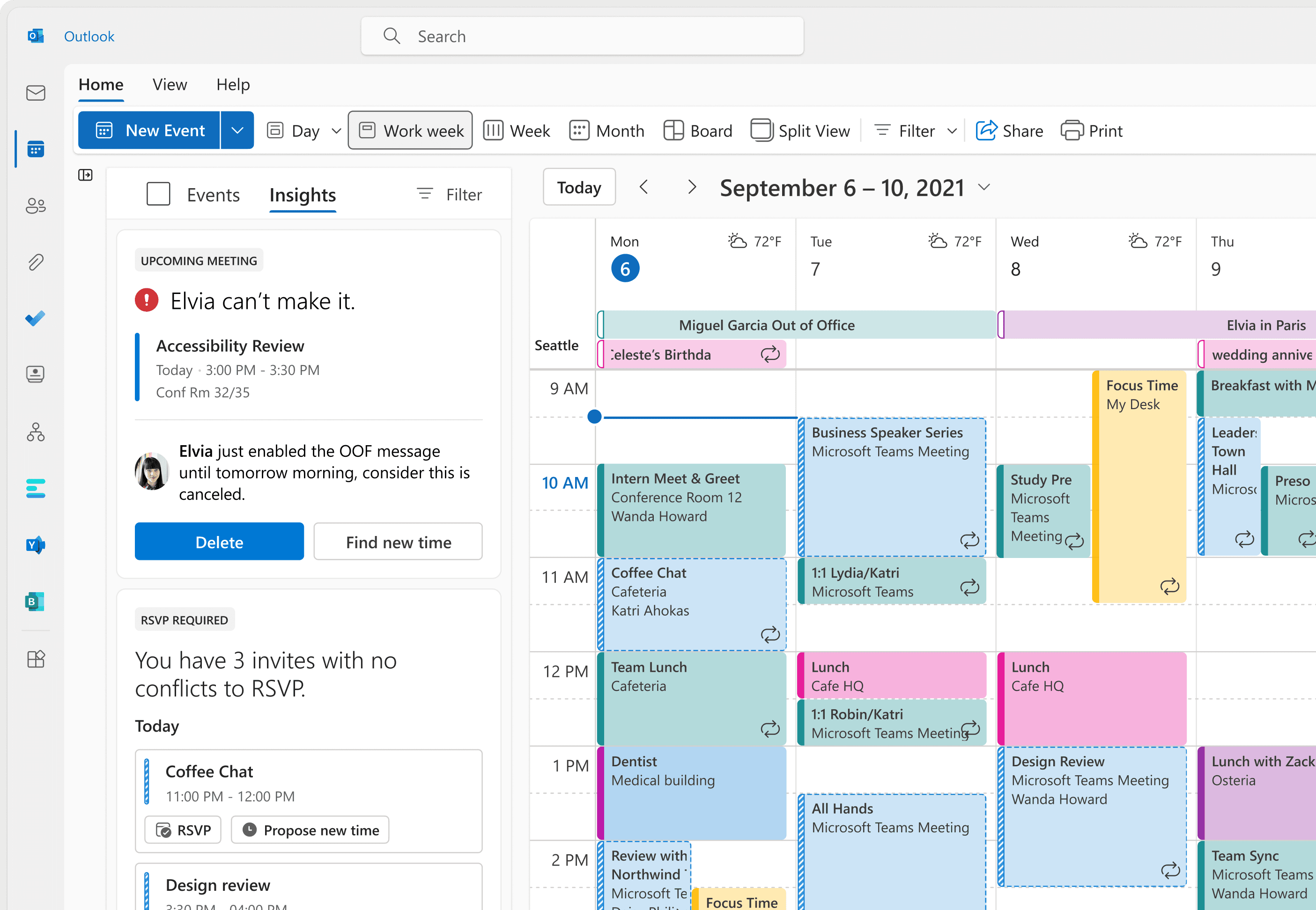
Here are some of the calendar cards. Together, they:
- Reduce cognitive load
- Surface just-in-time, AI-powered insights
- Lift RSVP rates
- Enable bulk actions across invitations
- Scale across the experience
Cortana
Conversational AI for Microsoft 365
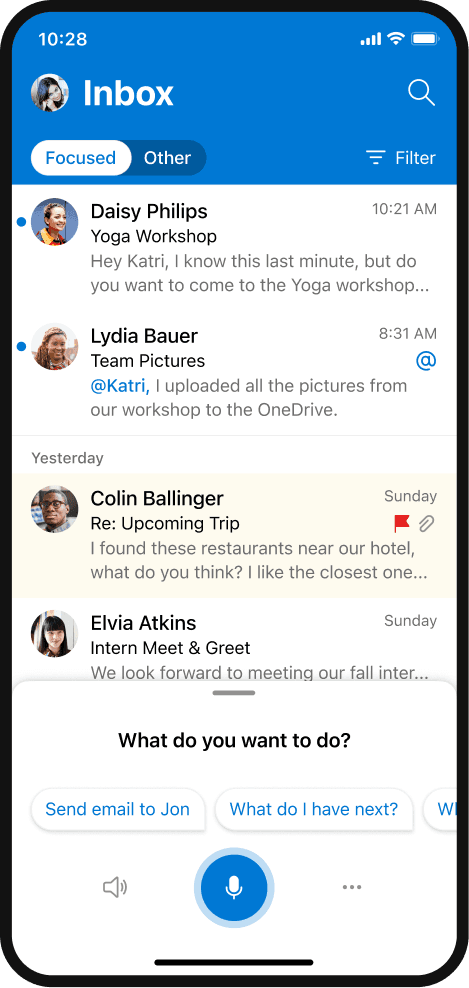
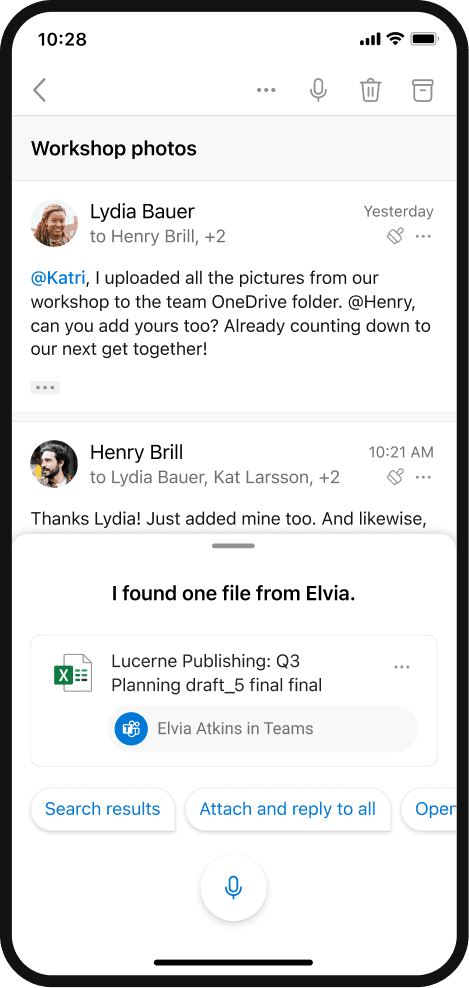
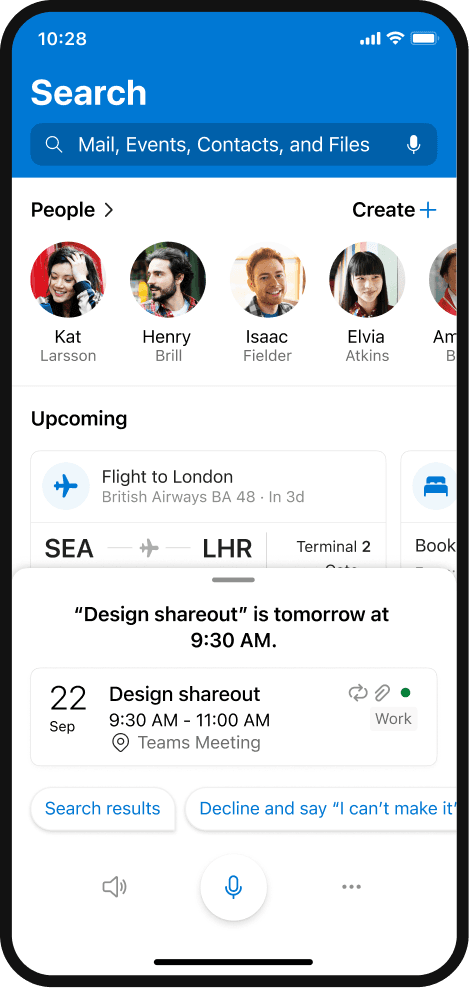
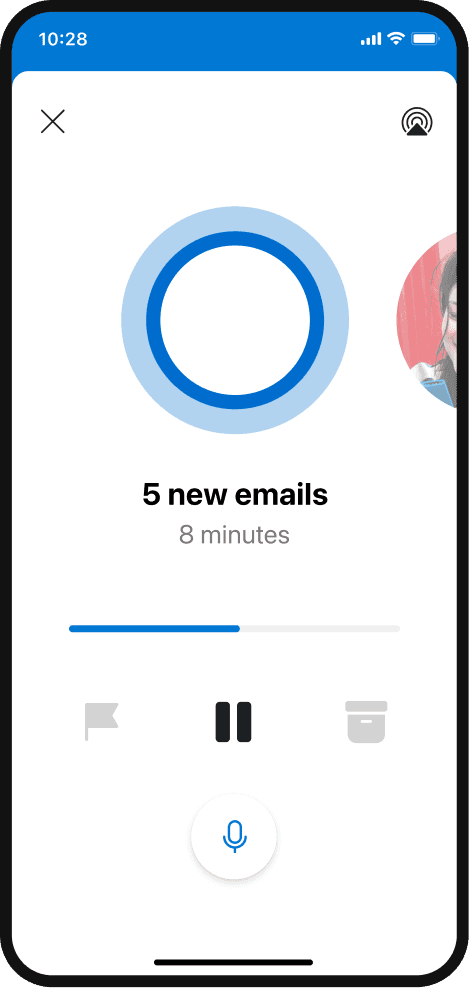
Cortana was Microsoft's AI-powered virtual assistant, designed to bring assistive, conversational AI directly into Microsoft 365 so people could manage tasks through natural voice interactions that enhanced accessibility and inclusivity. My work spanned multiple areas of Cortana's capabilities, from reminders, to-do lists, email, search, and contextual suggestions that simplified productivity workflows, to shaping the voice accessibility framework in Outlook and Teams so anyone could stay organized, connected, and productive using voice alone.
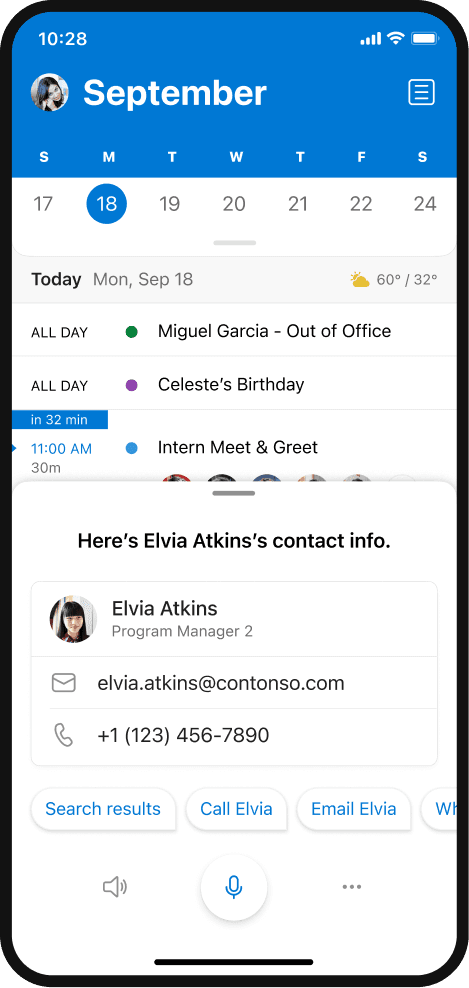
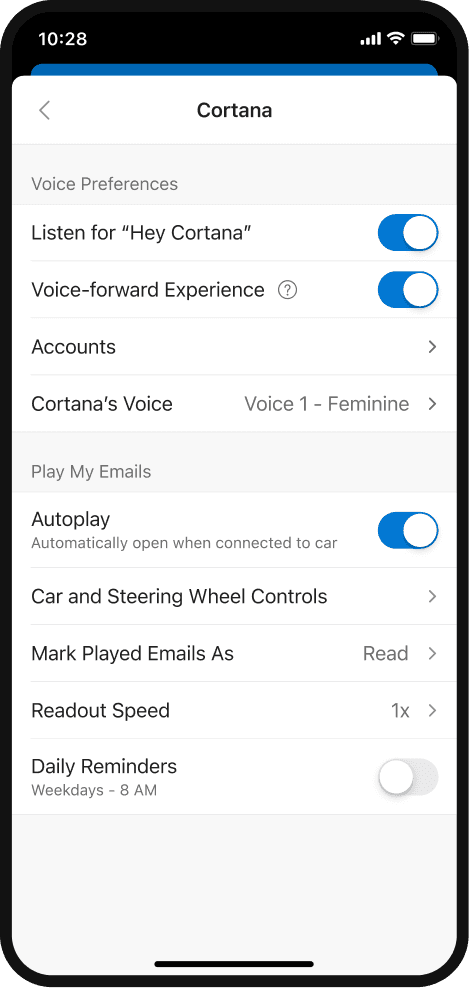
Although support for Cortana officially ended in 2023 as Microsoft transitioned toward Copilot in Windows 11 and Microsoft 365 apps, the work laid the groundwork for AI-driven productivity experiences across the Microsoft ecosystem.